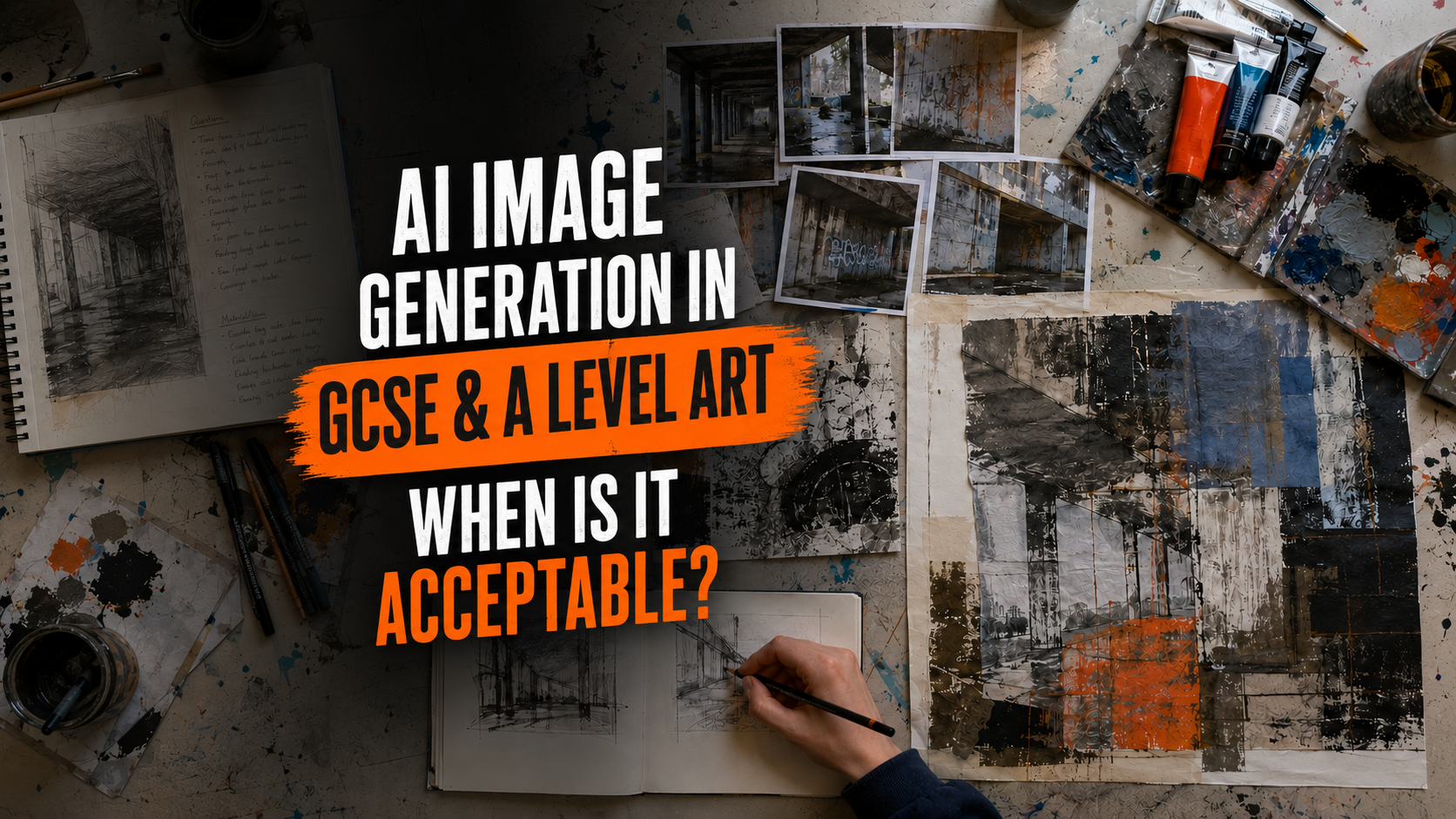
Artificial intelligence can produce an impressive image in seconds. For a GCSE or A Level Art & Design student, that may feel like a quick way to overcome a blank page, test a composition or visualise an idea. However, assessment is not based simply on how polished an image looks. Examiners need to see your investigation, your recording, your experiments, your decisions, your technical skills and your personal response.
This means that AI image generation needs to be handled very carefully. It may have a limited and properly acknowledged role as a starting point, research aid or idea-generation tool where your teacher and school permit it. It should not be presented as your own artwork, used to replace the creative development that you are being assessed on, or submitted as a finished outcome.
The most important rule
AI can help you consider a possibility, but it must not do the assessed creative work for you.
An AI-generated image is not acceptable as your finished GCSE or A Level Art & Design outcome because it does not independently demonstrate your own practical skill, visual recording, decision-making or creative understanding. Even when AI use is acknowledged, you cannot receive credit for work that you have not produced independently.
Is AI image generation completely banned in Art & Design?
Not necessarily—but permission is not automatic. The rules can vary according to the qualification, the assessment, the stage of the project and your school or college’s AI policy. You should therefore ask your teacher before using any AI tool, even if you intend to use it only for ideas.
The Joint Council for Qualifications guidance on AI use in assessments states that assessed work must be the student’s own. It also explains that acknowledged AI-generated content cannot be rewarded where the student has not independently met the marking criteria.
Pearson’s subject-specific GCSE and A Level Art & Design AI guidance gives a useful practical distinction. AI may sometimes form part of research or the exploration of techniques and processes, but students must independently develop their work beyond the AI input and demonstrate their own creative skills and knowledge.
Portfolio to A Star tip: “My teacher allowed it” and “I acknowledged it” do not automatically make an AI-generated image assessable as your own work. Permission and referencing are essential, but you must still provide substantial evidence of independent creative achievement.
When AI image generation might be useful
If your teacher permits it, a small amount of AI use may help at the beginning or during a clearly documented investigation. The strongest uses prompt further first-hand research and practical work rather than replacing them.
- Generating broad starting directions: exploring several possible moods, settings, visual metaphors or compositional approaches before deciding what to investigate yourself.
- Testing “what if?” questions: considering how a subject might change under dramatic lighting, an unusual viewpoint, a restricted palette or a different scale.
- Starting a critical discussion: identifying visual errors, stereotypes, clichés, inconsistencies or ethical problems in an AI-generated response.
- Comparing possible approaches: using generated examples as one small part of a wider comparison that also includes artists, designers, photographers, first-hand sources and your own experiments.
- Exploring AI itself as a project issue: investigating originality, authorship, identity, misinformation, idealised bodies, bias or the relationship between humans and technology.
- Planning further original work: using a generated possibility to help devise your own photoshoot, observational drawings, material tests or layout thumbnails.
Image brief: A realistic GCSE Art sketchbook spread showing a small, clearly labelled AI-generated starting image on the left, followed by the student’s own photographs, observational drawings, colour tests, material experiments and a substantially different refined composition. Use arrows and concise notes to show that the AI image triggered questions but did not become the outcome.
Suggested filename: ai-starting-point-to-original-artwork.webp
Alt text: GCSE Art sketchbook showing an acknowledged AI starting image developed into original photographs, drawings and material experiments
When AI image generation should not be used
AI should not be used where it replaces the knowledge, understanding, creative thinking or technical skills that the assessment is intended to measure.
- Do not submit an AI-generated image as a final outcome. This includes a finished painting design, illustration, photograph, poster, book cover, logo, animation still or digital artwork.
- Do not present AI images as your own first-hand sources. A generated portrait, landscape, building or still life is not one of your own photographs or observations.
- Do not use AI to manufacture sketchbook development. A page of generated “experiments” does not prove that you explored materials, processes or techniques yourself.
- Do not trace or closely copy an AI-generated composition and then describe the result as original. Changing the medium does not necessarily make the underlying idea or design independently yours.
- Do not insert generated elements into a final piece if those elements replace skills you are expected to demonstrate, such as image-making, photography, illustration, composition or typography.
- Do not use AI to write your annotation, evaluation or Personal Study. These must communicate your own understanding and your own reflection on the work.
- Do not imitate a living artist by asking for an image “in the style of” that person. Apart from ethical concerns, imitation can lead to shallow pastiche rather than genuine critical understanding.
- Do not use AI during a supervised examination or timed assessment where access is prohibited.
- Do not use it after your teacher or centre has said that it is not permitted. Your school’s policy may be more restrictive than a general online explanation.
- Do not hide or minimise your use of AI. Undeclared or misleading use may be treated as malpractice.
The pros and cons of AI image generation for Art students
| Possible advantages | Important disadvantages |
|---|---|
| It can produce rapid visual prompts when a student feels stuck. | Its speed can discourage the slower observation, experimentation and reflection that produce strong portfolios. |
| It can help a student compare several broad visual directions. | Generated alternatives are not evidence of the student’s own practical exploration. |
| It may encourage useful “what if?” questions about viewpoint, light, colour or atmosphere. | The AI often makes many decisions invisibly, weakening evidence of independent creative control. |
| It can become the subject of critical investigation into authorship, bias or technology. | Outputs may contain stereotypes, visual errors, misleading information or invented references. |
| It may introduce students to technology used in some creative industries. | Industry relevance does not make AI-generated assessment evidence the student’s own work. |
| Carefully documented use can lead to new first-hand photography, drawing or making. | Poorly documented use can create authentication problems and may lead to malpractice concerns. |
| It can help students discuss originality and ethics. | Training data, copyright, artist consent, privacy and environmental impact all raise ethical questions. |
How AI use can affect AO1, AO2, AO3 and AO4
AI is not a shortcut through the Assessment Objectives. Heavy reliance on generated imagery can actually remove the evidence needed for marks.
| Assessment Objective | What the student needs to demonstrate | The risk of relying on AI |
|---|---|---|
| AO1 | Independent investigation, critical understanding and the development of personal ideas. | The AI supplies the ideas or visual language, leaving little evidence of the student’s own investigation and creative direction. |
| AO2 | Purposeful experimentation with media, materials, techniques and processes. | Generated variations may look experimental but do not demonstrate that the student controlled or understood the process. |
| AO3 | Relevant recording of observations, insights and intentions. | AI imagery can replace first-hand photography, drawing, visual recording and genuine reflection. |
| AO4 | A personal and meaningful response that realises intentions and connects with the student’s development. | An AI-generated outcome is not an independently produced personal response and cannot demonstrate the student’s own technical achievement. |
A highly polished AI image is not automatically high-quality assessment evidence. Examiners can only reward what the student has independently understood, decided, recorded, tested and produced.
Examples for Fine Art, Photography and Graphic Communication
Fine Art
Possible limited use: With permission, a student exploring “isolation” generates a few rough visual prompts to compare enclosed spaces, empty streets and lone figures. The student critically rejects the most predictable ideas, visits a local location, takes original photographs, makes observational drawings, experiments with paint and print, and develops a new composition from these first-hand sources.
Inappropriate use: The student generates a dramatic finished portrait, copies it closely in paint and submits the painting as a personal response. Although the final surface is painted by hand, the central composition, lighting, pose and visual concept have been substantially supplied by AI.
Photography
Possible limited use: A student uses an acknowledged AI prompt to consider possible lighting moods for a portrait shoot. They then plan and carry out their own photoshoot, record camera settings, review a contact sheet, identify technical problems, reshoot and make their own edits.
Inappropriate use: The student submits AI-generated “photographs” or adds generated people, buildings, skies or textures without making the extent of the intervention clear. The resulting images do not provide reliable evidence of the student’s camera work, observation or independent image-making.
Graphic Communication or Graphic Design
Possible limited use: A student compares several acknowledged AI suggestions for the atmosphere of a theatre poster. They analyse why the outputs have poor hierarchy and generic typography, then make their own thumbnail layouts, take original photographs, cut a lino block, draw lettering and develop an independently designed final poster.
Inappropriate use: The student asks AI to create the complete poster and makes only small changes to the title, colour or crop. Prompt writing alone does not demonstrate independent control of typography, imagery, layout, hierarchy and production.
Image brief: A three-column comparison for GCSE and A Level Art & Design. Fine Art shows an AI prompt leading to original location photography, drawing and paint experiments. Photography shows a generated lighting idea leading to a real planned shoot and contact sheet. Graphic Communication shows a generated mood prompt leading to handmade thumbnails, lettering, print and an independently designed poster. Clearly label the AI material “starting stimulus only”.
Suggested filename: responsible-ai-use-fine-art-photography-graphic-design.webp
Alt text: Responsible AI idea development examples for Fine Art, Photography and Graphic Communication students
A safer seven-step process
- Ask first. Show your teacher what you want to do and why you believe it would support your learning.
- Define a narrow purpose. Use AI to ask a question or compare a possibility—not to produce the artwork for you.
- Keep a complete record. Save the tool name, date, prompts, settings and unedited outputs.
- Analyse rather than admire. Identify what is predictable, inaccurate, useful, ethically questionable or worth investigating.
- Move into first-hand research. Take your own photographs, draw from observation, collect relevant sources and study appropriate artists or designers.
- Develop independently. Make thumbnails, material tests, contact sheets, edits, prototypes and refinements that clearly demonstrate your own skills and decisions.
- Create your own final response. The resolved work should arise from your documented creative journey and be independently produced by you.
How to acknowledge AI image generation properly
If AI use is permitted, ask your teacher exactly how it should be recorded. Current JCQ guidance requires students to identify the AI source and the date the content was generated, retain the question or prompt and output in a non-editable form such as a screenshot, and briefly explain how the material was used. Pearson’s Art & Design guidance also asks for information such as search terms, settings, annotated screenshots and an explanation of how the student independently adapted or developed beyond the output.
- Name and version of the AI tool, where known.
- Web address of the tool.
- Date on which the content was generated.
- The exact prompt or search terms used.
- Relevant settings and any follow-up prompts.
- Unedited screenshots of the prompts and outputs.
- A short explanation of why the tool was used.
- A critical evaluation of the result.
- Clear evidence showing how your own work moved beyond the AI material.
Example of honest sketchbook annotation
“With my teacher’s permission, I used [tool name and version] on [date] to compare three possible lighting directions for my theme. My exact prompts and the unedited outputs are shown here. I rejected the first two because they looked theatrical and did not connect with my local source material. The side lighting in the third image suggested a starting question, but I did not copy the composition. I planned my own photoshoot, photographed my subject from four viewpoints and developed the selected image through my own editing and print experiments.”
Why first-hand sources still matter
Your own photographs, observational drawings, recordings, collected objects, visits and experiments give a project qualities that AI cannot supply: personal experience, local detail, specific mistakes, unexpected discoveries and a genuine connection to the subject.
These sources are especially valuable because they can support all four Assessment Objectives at once. A photograph you take yourself may begin as AO3 recording, inspire AO1 investigation, be transformed through AO2 experiments and eventually contribute to an AO4 response. An AI-generated image cannot replace this joined-up evidence of your creative journey.
Image brief: A side-by-side realistic sketchbook comparison. The weaker side relies on polished AI-generated pictures, vague annotations and no first-hand development. The stronger side begins with original local photographs and observational drawing, then shows artist connections, process experiments, selected refinements and an independently produced final response. Use restrained labels explaining why the stronger route provides assessable evidence.
Suggested filename: ai-images-vs-original-art-development.webp
Alt text: Comparison of AI-dependent GCSE Art work and a stronger project developed from original first-hand sources
A special warning for A Level students
A Level work is expected to show increasing depth, independence, critical understanding and a sustained personal line of enquiry. An AI-generated solution may be visually sophisticated, but sophistication produced by the software is not evidence of the student’s own advanced understanding.
AI-generated writing is also particularly risky in the A Level Personal Study. Your argument, analysis, comparisons, judgements and conclusion must be your own. If an approved AI tool contributes information, it must be checked against reliable original sources and acknowledged in accordance with your centre’s instructions. Never rely on AI-generated references without verifying that they exist.
Student checklist: should I use AI for this?
| Question | Yes / No |
|---|---|
| Have I asked my teacher and checked my school or college policy? | □ |
| Is AI permitted at this stage of this particular assessment? | □ |
| Can I explain a clear educational reason for using it? | □ |
| Will the AI output remain a small, acknowledged source rather than become my artwork? | □ |
| Have I saved the exact prompt, date, tool details, settings and unedited output? | □ |
| Will I critically analyse the result instead of accepting it uncritically? | □ |
| Will I produce my own first-hand research and practical experiments? | □ |
| Can my teacher clearly authenticate the later work as mine? | □ |
| Does my final outcome independently demonstrate my own skills and decisions? | □ |
| Would I be comfortable explaining every stage of the work to a moderator? | □ |
If you cannot confidently answer “yes” to every question, do not use the AI tool until you have spoken to your teacher.
Frequently asked questions
Can I put an AI-generated image in my sketchbook?
Only if your teacher permits it and you present it honestly as an acknowledged source or starting stimulus. Include the prompt, tool, date, output and explanation of how it was used. Do not present it as your own artwork or expect the generated content itself to earn marks.
Can I trace an AI image and call the drawing my own?
This is not a safe approach. Tracing changes the method of production but may leave the pose, composition, lighting and visual decisions heavily derived from AI. Draw from your own photographs or direct observation instead.
Can AI create a background or one small part of my final piece?
Do not assume that a small area is automatically acceptable. If the generated element contributes to the assessed imagery, composition, photography, illustration or design, it may prevent the work from being fully your own. Ask your teacher before using it and remember that a fully independent final outcome is the safest choice.
Will acknowledging AI protect me from losing marks?
Acknowledgement helps avoid passing generated material off as your own, but it does not turn AI-produced content into evidence of your achievement. If AI has completed part of the assessment for you, that part cannot demonstrate that you independently met the marking criteria.
Can I use AI in the externally set or timed component?
AI tools must not be used during supervised assessment where exam conditions prohibit access. Rules for any preparatory period may depend on the awarding organisation and your centre’s policy, so obtain explicit guidance from your teacher before using AI at any stage.
The best way to think about AI in Art & Design
Used cautiously, transparently and with permission, AI image generation may sometimes provoke a useful question. Used as a shortcut, it can weaken originality, remove evidence from the Assessment Objectives and create serious authentication or malpractice concerns.
The strongest GCSE and A Level portfolios do not merely display attractive images. They show a believable creative journey: first-hand research, informed connections, purposeful experimentation, reflection, selection, refinement and a personal outcome. AI should never be allowed to take that journey away from you.
Is your portfolio showing enough of your own creative thinking?
Portfolio to A Star offers expert GCSE and A Level Art & Design feedback from an experienced Art teacher. Find out whether your investigation, experimentation, recording and final response provide clear evidence across AO1–AO4.
Official guidance and further reading
- JCQ: AI Use in Assessments—Your Role in Protecting the Integrity of Qualifications
- JCQ: Information for Candidates—AI and Assessments
- JCQ: Information for Candidates—Non-examination Assessments
- Pearson: GCSE and A Level Art & Design Artificial Intelligence Guidance
Guidance changes as AI tools and assessment regulations develop. This article was fact-checked on 25 July 2026. Students should always follow the latest instructions issued by their teacher, school or college and awarding organisation.
No responses yet